That heart-stopping moment at the airport security line. You fumble for your phone, tap the screen, and… nothing. The app won’t load, the airport Wi-Fi is nonexistent, and the digital boarding pass you were relying on is gone.
In a panic, you remember you took a screenshot. But is that simple picture in your photo gallery a golden ticket or a one-way path to a missed flight?
The answer is far more complex than a simple yes or no, and relying on a screenshot could be the biggest travel mistake you make this year.
The Screenshot Dilemma: Why Your Boarding Pass Pic Might Get You Denied
That image file on your phone feels like a perfect solution. It’s offline, easy to access, and seems identical to the real thing. However, this convenience is deceptive and masks several critical points of failure that can derail your journey before it even begins.
The Barcode’s Betrayal: Dynamic vs. Static Codes
Here is a critical piece of information many travelers overlook: not all barcodes are created equal. Many airlines are now using dynamic QR codes or barcodes for their mobile boarding passes. These aren’t just static images; they are designed to refresh and change periodically.
This is a security feature to prevent fraud. A screenshot captures the barcode at only one moment in time. If the code on the live app refreshes, your static screenshot instantly becomes an invalid, useless picture that will be rejected by the scanners at both security and the boarding gate.
Gate Agent’s Discretion: The Human Factor
Even if the barcode is static and scannable, you are not in the clear. Airline and airport staff are trained to look for official, live boarding passes within an airline’s app or a digital wallet. A simple image in your photo gallery can raise immediate red flags.
The final decision often rests with the gate agent or security officer. They have the authority to deny boarding if they suspect the pass is not legitimate. Their primary goal is security and efficiency, and a screenshot disrupts that process, forcing them to perform manual checks and causing delays for everyone.
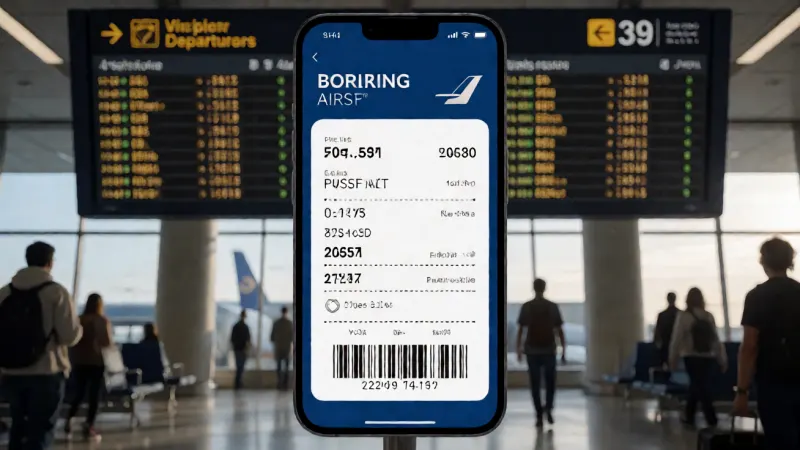
Security Screening Snags: What the TSA Expects
Transportation Security Administration (TSA) agents and their international counterparts are your first major hurdle. While their scanners might technically be able to read a clear, high-quality screenshot, their official guidelines strongly recommend using the original mobile pass.
A poorly taken screenshot—blurry, too dark, or with a cracked screen overlaying it—is a guaranteed recipe for rejection. Agents don’t have time to troubleshoot your phone’s photo gallery; they will simply send you back to the airline check-in counter to print a paper pass, risking your spot on the flight.
When Can You *Actually* Use a Screenshot of a Boarding Pass?
Despite the significant risks, there are specific, limited scenarios where a screenshot might work. Understanding when it’s a plausible backup versus a reckless gamble is key. It’s about knowing the rules of the game before you play.
Domestic vs. International: A World of Difference
Generally, you will have a slightly higher chance of a screenshot being accepted on a short, domestic flight within the United States or the EU. Security protocols are incredibly stringent for international travel, often requiring airline staff to verify visa and passport information at the gate.
For an international flight, agents will almost certainly want to see a live, official boarding pass. Do not rely on a screenshot for international travel; the odds are overwhelmingly against you. The stakes are too high, and the security checks are far more thorough.
Airline-Specific Policies: Not All Carriers Are Created Equal
Every airline has its own policy regarding mobile boarding passes. While some may be more lenient, others have strict rules that explicitly forbid the use of screenshots. Assuming the policy is the same across all airlines is a common traveler error.
Before you fly, it is crucial to check your carrier’s specific rules. This is especially true if you’re flying with budget airlines or have encountered issues before, such as the passenger problems that can sometimes arise with specific carriers. A quick check of their website can save you a world of trouble. To make things clearer, we’ve compiled a general guide:
| Airline Type | General Stance on Screenshots | Recommended Action |
|---|---|---|
| Major US Carriers (Delta, American, United) | Discouraged; may work for domestic flights but not guaranteed. | Use the official app or Apple/Google Wallet. |
| Budget US Carriers (Spirit, Frontier) | High risk of rejection; often have strict ancillary fee policies. | Print at home or use the app to avoid fees. |
| Major European Carriers (British Airways, Lufthansa) | Generally not accepted; live pass or paper is standard. | Use the official app and have a paper backup. |
| Budget European Carriers (Ryanair, EasyJet) | Strictly forbidden. You will likely face a hefty reprint fee at the airport. | Always use the app or a pre-printed paper pass. |
| Major Asian & Middle Eastern Carriers | Varies, but official digital/paper passes are strongly preferred. | Do not risk it; use official channels only. |
The Low-Tech Lifesaver: When Your Signal Fails
The single best argument for having a screenshot is as a last-ditch backup. If you are in an airport with no Wi-Fi and no cellular data, and you have not pre-saved your pass to a digital wallet, a screenshot may be your only option.
In this emergency scenario, it is better than nothing. However, this should be viewed as a failure of preparation, not a viable strategy. It’s the digital equivalent of finding a spare tire in your trunk—it will get you to the garage, but you shouldn’t be driving on it every day.
The Ultimate Pre-Flight Checklist: Your Foolproof Boarding Pass Strategy
Avoid the stress and uncertainty entirely by adopting a multi-layered approach to your boarding pass. True travel pros know that redundancy is the key to a smooth airport experience. Preparing for your next big trip, perhaps one of the exciting The Clymb adventures, starts with these simple, foolproof steps.
Step 1: Download the Official Airline App
Your primary tool should always be the airline’s official mobile application. Check-in through the app and use the live boarding pass it generates. This ensures you always have the most up-to-date information, including gate changes, boarding times, and that all-important dynamic barcode.
The app is your direct link to the airline and the most reliable way to navigate the airport. It’s a non-negotiable first step for modern travel.
Step 2: Add to Your Digital Wallet (Apple Wallet / Google Pay)
This is the single most important backup to the airline app. When you check-in, you will almost always see an “Add to Apple Wallet” or “Add to Google Pay” button. Always use this feature.
Boarding passes saved to a digital wallet are stored locally on your device, meaning they are accessible offline, without any internet connection. They are also easily accessed from your lock screen, preventing you from having to search through apps as you approach the gate.
Step 3: The “Just-in-Case” Screenshot
After you have secured your pass in your digital wallet, now you can take your backup screenshot. Make sure your screen brightness is at maximum and that the entire boarding pass, especially the barcode and your name, is clearly visible and sharp.
This screenshot is your third line of defense. It should only be used if the airline app fails AND your digital wallet malfunctions—an extremely unlikely scenario.
Step 4: The Old-School Failsafe: A Paper Printout
The only 100% guaranteed method is the one that requires no battery at all: a paper boarding pass. It cannot be deleted, it does not depend on Wi-Fi, and it is universally accepted. For travelers facing complex itineraries or known issues with certain airlines, such as persistent Aer Lingus passenger problems, a paper copy is essential peace of mind.
You can print it at home, at your hotel, or at a kiosk at the airport. Having that piece of paper in your bag means that no matter what happens to your phone, you will get on that flight.
Beyond the Barcode: Hidden Dangers of Screenshotting Your Boarding Pass
The risk of being denied boarding is the most immediate concern, but there’s a more sinister threat lurking within that seemingly innocent screenshot. In your rush to share your travel excitement, you could be compromising your personal security and opening the door to scams.
Your Data is Exposed: The Security Risk No One Talks About
That barcode on your boarding pass is not just a pattern of lines; it’s a key that unlocks a wealth of your personal data. Embedded within it is your full name, flight details, and most importantly, your Passenger Name Record (PNR) or booking reference.
Anyone with a simple barcode reader app can scan your screenshot and get this PNR. With the PNR and your last name, a malicious actor can often log into your booking on the airline’s website. From there, they can see your future travel plans, your frequent flyer number, the last four digits of your credit card, and potentially even cancel your flight.
The Resale and Scam Trap
Posting a screenshot of your boarding pass on social media is like posting a picture of your house keys. Scammers trawl social media for these images. They can use the information to commit identity fraud or target you with sophisticated phishing scams.
This underscores the importance of being vigilant about how your travel data is handled, from booking to boarding. Protecting your PNR is just as critical as knowing questions like, “Is Kiwi.com legit?” before you trust a service with your information. Never share an image of your boarding pass online.
Ultimately, a boarding pass screenshot is a tool of last resort, not a reliable plan. By embracing the superior technology of digital wallets and respecting the failsafe nature of a simple paper printout, you can ensure your journey starts smoothly, securely, and without a moment of unnecessary panic.