You’ve found the perfect flight deal on Expedia, navigated through the booking process, and are ready to finalize your trip. But when you get to the seat selection page, you hit a wall. The seat map is grayed out, unavailable, or simply non-existent. It’s a frustratingly common scenario that leaves travelers wondering: why won’t Expedia let me choose my seats?
This issue can be a major source of travel anxiety, especially for families who need to sit together, anxious flyers who prefer a specific location, or anyone who simply wants to avoid the dreaded middle seat. Understanding the reasons behind this problem is the first step toward finding a solution and ensuring a more comfortable journey.
Why Can’t I Choose My Seats on Expedia? Unpacking the Core Issues
When you book a flight through a third-party website like Expedia, you’re interacting with a middleman. Expedia communicates with the airline’s reservation system, but this digital handshake isn’t always perfect. Several factors can prevent you from selecting a seat during the booking process.
The “Basic Economy” Barrier
The most frequent culprit is the type of fare you’ve purchased. Airlines created “Basic Economy” fares to compete with budget carriers. These no-frills tickets often come with significant restrictions, and one of the biggest is the inability to choose your seat in advance. With a Basic Economy ticket, the airline will typically assign you a seat at check-in or even at the gate.
While these fares are attractively priced, they remove the element of choice. Expedia is simply adhering to the airline’s fare rules. If you’ve booked a Basic Economy ticket, the option to select a seat is intentionally disabled by the airline, and this restriction is passed through to Expedia’s platform.
Airline System Integration and Restrictions
Not all airlines have seamless integration with third-party booking sites. Some carriers, particularly smaller or international airlines, may restrict seat selection for bookings not made directly on their own websites. They prioritize direct bookings and may not release their full seat map to partners like Expedia until closer to the departure date.
Furthermore, some airlines hold back a significant portion of seats for their elite status members, passengers with special needs, or for gate assignment. This means that even if you’ve booked a standard economy fare, the available seat selection on Expedia might be limited or nonexistent simply because the airline hasn’t made those seats available to third-party channels yet.
Codeshare Flights: A Complicating Factor
Codeshare flights, where one airline sells a ticket but another airline operates the flight, add another layer of complexity. If you booked a flight on Expedia that is sold by one airline but operated by a partner, the seat selection process can be confusing. You may need to go to the operating carrier’s website with your confirmation number to choose a seat, as Expedia’s system might not have access to the seat map of the partner airline.
Your Step-by-Step Guide to Securing a Seat
Even if you can’t choose your seat during the initial booking on Expedia, all is not lost. Here are the most effective strategies to secure your preferred spot on the plane.
Step 1: Get Your Airline Confirmation Number
After you complete your booking on Expedia, you will receive a confirmation email that contains your Expedia itinerary number. However, what you really need is the airline confirmation number, sometimes called a “record locator” or “PNR.” This is a six-character alphanumeric code that is unique to your booking with the airline.
Look carefully through your Expedia confirmation email for this code. If you can’t find it, log into your Expedia account, go to “My Trips,” and view your itinerary details. The airline confirmation number should be listed there. This code is your golden ticket to managing your booking directly with the airline.
Step 2: Go Directly to the Airline’s Website
Once you have your airline confirmation number, navigate to the airline’s official website. Look for a “Manage My Booking,” “My Trips,” or similar section. You will be prompted to enter your last name and the airline confirmation number.
If your fare type allows it, you should be able to view the seat map and select a seat directly on the airline’s site. Many travelers find that the airline’s website shows more available seats than what was visible on Expedia. This is because the airline has full control over its own inventory.
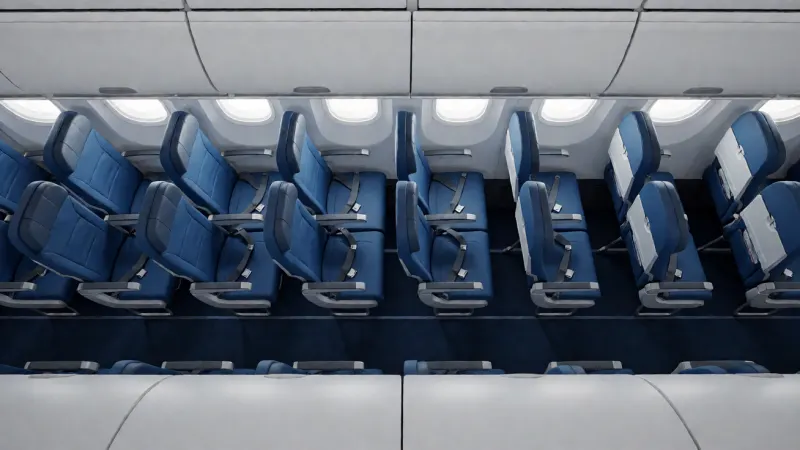
Step 3: What to Do if You Still Can’t Choose a Seat
If the airline’s website still doesn’t allow you to choose a seat, it’s likely due to your fare type (e.g., Basic Economy). In this case, your next opportunity will be during the check-in window, which typically opens 24 hours before departure. Be ready to check in online the moment it opens. The earlier you check in, the better your chances of getting a decent seat assignment or having more options to choose from.
Some airlines may offer the option to pay for a seat assignment at this stage, even for Basic Economy fares. While not ideal, it’s a worthwhile consideration if sitting with your travel companions or in a specific part of the plane is a priority.
Step 4: Contacting the Airline Directly
If online options fail, don’t hesitate to pick up the phone. Call the airline’s customer service line and provide them with your confirmation number. A human agent often has more flexibility and can sometimes access seats that are not visible online. Politely explain your situation, especially if you are traveling with family or have a specific need.
While there are no guarantees, a courteous request can sometimes work wonders. This is particularly true if you are trying to ensure children are seated with a parent.
Proactive Strategies for Future Bookings
To avoid the “Expedia won’t let me choose seats” problem in the future, it’s essential to be strategic during the booking process. The choices you make at the beginning can have a significant impact on your travel experience.
Understanding Fare Differences is Key
Before you click “purchase,” pay close attention to the fare class. Expedia usually indicates whether a fare is Basic Economy. If seat selection is important to you, it is almost always worth the extra cost to upgrade to a “Main Cabin” or standard economy fare. While online travel agencies can offer great deals, it’s important to understand the trade-offs. For those questioning the dependability of various booking platforms, a deep dive into whether Google Flights is reliable can offer valuable insights into fare transparency.
The price difference may seem significant at first, but when you factor in the potential costs of paying for a seat assignment later, or the discomfort of being in a middle seat on a long flight, the upgrade often proves to be a wise investment.
The Direct Booking Advantage
While Expedia is a powerful tool for comparing prices and finding deals, there are distinct advantages to booking directly with the airline. Booking directly often provides a smoother experience for seat selection and overall booking management. Airlines prioritize their direct customers, and you’ll have immediate access to your reservation and all available options without having to go through a third party.
If you find a great deal on Expedia, consider using it as a search tool and then checking the price for the same flight directly on the airline’s website. Sometimes the prices are comparable, and the added convenience of direct booking is worth a small price difference.
| Fare Type | Seat Selection During Booking | Seat Selection After Booking | Best For |
|---|---|---|---|
| Basic Economy | No (Assigned at check-in/gate) | Limited (Often for a fee at check-in) | Solo travelers on a tight budget with no seat preference. |
| Standard/Main Cabin Economy | Yes (Free selection from available standard seats) | Yes (Can change seats via airline’s website) | Most travelers, families, and those who want to choose their seat. |
| Premium Seats (e.g., Extra Legroom) | Yes (For an additional fee) | Yes (Can upgrade for a fee) | Travelers seeking more comfort and willing to pay for it. |
What if My Family is Split Up?
One of the biggest anxieties for family travelers is being seated separately. Airlines generally have policies in place to ensure that children, particularly those under 13, are seated with at least one adult from their party. However, these systems are not foolproof, especially with Basic Economy fares on a full flight.
If you’ve followed all the steps and your family is still assigned seats in different rows, speak to the gate agent as soon as you arrive at the airport. Gate agents have the final control over the seat map and can often rearrange seating to accommodate families. Be polite, arrive early, and clearly explain the situation. In many cases, they will be able to find a solution. As a last resort, you can also ask cabin crew for assistance once you board the aircraft.
Beyond Expedia: Exploring Other Booking Options
The travel booking landscape is vast, with many players vying for your business. While Expedia is a giant, newer platforms are constantly emerging. Some travelers explore options like Laytrip, but it’s crucial to research their legitimacy first. An in-depth look at whether is Laytrip legit can help you make an informed decision. Similarly, understanding the reputation of other services is vital; for instance, investigating is Travelfro legit can save you from potential booking headaches.
Ultimately, the inability to choose your seat on Expedia is more of a feature of modern air travel than a flaw in Expedia’s system. By understanding the role of fare types, the importance of the airline confirmation number, and the steps to take after booking, you can regain control and significantly increase your chances of sitting exactly where you want to be.